SOCIAL MEDIA

Wednesday, October 30, 2019

Tweaked My Layout (Again)

Assalammualaikum.

Amalie Blog Template

Barely two weeks, and I have changed my blog layout again.
I dislike Carolina because it doesnt display all my posts in a page. It displays only the most recent post, and the rest are in grids.

Grids like these

I am also dissatisfied with the [Read More] fuction.
I don't like that function, it requires effort for readers to read my blog.
I'd rather read a blog which displays the whole post and I can read by scrolling down, and then able to read the next post.

For this Amalie template, I am still finding out how to remove this post footer.
It looked weird, the image in the background must have expired - hence it shows the triangle warning instead.

Getting rid of this footer soon

Still looking for ways to remove them and hope I will be satisfied with the outcome!

-Because life is a test-


-AkMaR-
http://nur-akmar.blogspot.com
Friday, October 4, 2019

ASUS ZenBook UX33FN

Assalammualaikum.
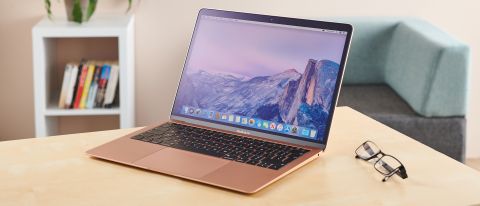
So I talked about how my 2-year-old Macbook Air failed me and how much it will cost to repair it.

And I really needed a laptop to help me with my study, and so with mama's help - I bought a new laptop!
Yes, I really wish I could by the new Macbook Air 2019, but it will cost close to RM7,500 including the extended warranty.
After careful and almost, but apparently not extensive readings on the internet, there are many ultrabooks that trumped Macbook Air which included Dell XPS 13, Huawei Matebook 13 and ASUS ZenBook 13.
Huawei Mate 13 cost a bomb, and somehow Surface Laptop 2 did not appear during my research.

Hence I narrowed my readings down to Dell XPS 13 vs ASUS ZenBook 13 (Surface excluded, as I didn't know abt it 😑 ).
I went to Low Yat to see the price, and ASUS ZenBook is the cheaper one.
So I bought my very own ASUS ZenBook 13 for almost RM4k. Thank you Ma and Hubs!


Let's do a bit of review abt this laptop, after abt 2-3 weeks using it.

Let's start with the good things first.

The Advantages
1. The Long-lasting Battery
Last week I left the charger in Mama's hse in KL during my visit there.
With the battery at only 53%, I was afraid it will die after using - so I barely use it. Only used it about 2 hours every day and I set the battery usage to minimal. I switch it off every time after using it instead of just letting it sleep.

It managed to last me 5 days when the charger Aisyah posted to me finally arrived via PosLaju.

2. The small and compact body but 13" screen
Like the new Macbook Air, this ASUS ZenBook didn't have the extra space bordering the screen, it is almost full-screen, like mobile phones nowadays. So the screen is still 13" like my old MacBook Air but the body became smaller, since it doesn't need extra space.
And it is very light, barely 1.5kg.

I have not brought it to work but I am pretty sure it will not weigh my bag down like my previous MacBook Air.

3. The USB ports!
Not just one, but there are TWO USB ports on this machine.
One USB 2.0 and another is USB 3.0.
Hence I can easily connect my mouse AND printer at the same time, without worrying about charging the laptop.

The major disadvantage of MacBook Air 2019 in my opinion is the lack of USB ports. It has 2 Thunderbolt ports - one of which is also the charging port.


The Disadvantages
I am sad, there are still more of these compared to the advantages but perhaps I just need to adjust myself to Windows.

1, 2, 3. iCloud
This might be the biggest trouble I am facing now.
I use iCloud heavily ever since my switch to Apple 9 years ago.
I even paid for the monthly cloud storage. So when I had to switch back to Windows, I had trouble syncing all my iCloud documents into this ZenBook. Although there is an iCloud Drive software for Windows, it isn't as automatic as it is in MacBooks.
The document parts are all solved now, I managed to sync it to my C: drive.

However it can't sync my photos from iPhone as efficient as my MacBook can - simply because they are using different platforms.

I used to be able to take a photo on my iPhone and with internet connection, the picture will be on my MacBook within seconds.
If I do not have Internet connection, I can just AirDrop the picture from my iPhone to the MacBook - which takes seconds as well.
Now, I MUST have an Internet connection to be able to have the picture on my ZenBook, since iPhone can't Bluetooth files to computers and there is no AirDrop in between these two devices. The iCloud Photos are not syncing really well, I am not sure why so I had to go to iCloud.com, and manually download the picture into my laptop.

With this change of platform, it also mean I can't use Notes anymore.

No, this is not my Notes. This is from the net 😂

I take notes on the Notes app on my iPhone, and then I can edit it on my MacBook - because they sync.
Now I can't view them easily anymore because there is no Note software for Windows.

Maybe I need to start using Evernote now.
Alternatively, I can do this.


4. Compact Keyboard
The keyboard is really compact, I always mistype words.
The "Shift" button is especially challenging because it is as small as all the other letters buttons.
"Shift" buttons on keyboards are usually as big as the "Enter" buttons on laptops - if u know what I mean.
So now, everytime I need to type a capital letter, I have to stop and see the "Shift" button to correctly press it.

It's the right side of the keyboard that I found difficult adjusting to.


5. Speaker Pecah-Pecah
I am not sure what to call it in English but at certain volume, the sound starts to disperse haphazardly.
Imagine sound waves coming out at certain speed from the speakers and colliding with each other and the music produced is scattered - if that makes sense.
When I read the reviews, there was no mention about this. In fact, most of the reviews stated that the speakers are really good.
I wonder if MacBook speaker is exceptional, hence I got so used to it that I feel this quality is sub par.

SUMMARY
I WILL adjust to this Windows ZenBook.
I aim to use it for years from now.

But as of now, I still have the intention to go back to MacBook. Perhaps after I complete my Masters training and become a Specialist and earn more
🤩

Some of the reviews I read: (in most of them, Dell wins. But ASUS is cheaper, but still more expensive than non-Ultrabooks)
1. ASUS ZenBook 13 vs Dell XPS 13
2. ASUS ZenBook 13 vs MacBook Air 2019
3. Dell XPS 13 vs MacBook Air 2019

-Because life is a test-

-AkMaR-
http://nur-akmar.blogspot.com
Friday, September 13, 2019

Freaking RM2000

Assalammualaikum.

I sent my Macbook Air 2017 to an Apple Service Centre about two weeks ago.
5 days lter, I received my quotation.
RM 2,240 for my screen replacement!
And an additional of RM100 for service charge.


The words on my mind: "Crazy! Crazy! Crazy!"
The Macbook isn't even 2 years yet. I found my original receipt. I bought it in Oct 2017, for RM 4,999.
The one-year warranty ended.
The girl at the service centre rubbed salt on my wound - "Tu la kak, kalau dulu akak amik Apple Care tu, warrranty cover sampai 3 tahun"

Felt like slapping her - I didn't expect a Macbook Air to last only 2 years.
I asked how could this happen? She said maybe because I always carry it in my bagpack and thus the inside shakes eventhough I have never dropped it.
But hey, if I do not need to always carry it, I might as well just buy a desktop!

So now I don't have a laptop.
I collected the Macbook Air from the store. Plan to send it to any laptop repairer, perhaps I could get a cheaper price from non-Appple technician which means I gotta go recce around The Mines or Lowyat. Any idea?
If the cost is too crazy, I might just sell this off and get a new one.

I still want a Macbook as already get very accustomed and comfortable with Macs.
The features are comprehensive and easy to use. There are a lot of things I can do with Macs, but will otherwise need a separate software in a Windows computer.
For example editing a PDF file. I can easily edit a PDF file using "Preview" in Mac.
You will need another software (I don't know what) to edit a PDF file in a Windows laptop.


I am kind of in love with the new Macbook Air 2019.
It has a Touch ID feature. And it is a lot lighter and smaller than my Macbook Air albeit the screen sizes are the same (13").
There is a lot of "excess" space in my 2017 Air where as they designed the 2019 to be "full screen", like most of the phones now.

The two main drawbacks to me are
1) Definitely the PRICE!
It cost RM5,349 for the Macbook Air alone! Without the 3 year Apple Care extended warranty.
If I want to pay in a 12-mth installments, I must buy the Apple Care which I think is close to RM2k.

2) It does not have a USB port.
Yes, to make the macbook the lighter and thinner, they sacrificed the USB ports - that is the port that most if not all pendrives and hard drives and printers and mice and keyboards connect to. They only have two USB-C ports - which is the type of port newer Android phones have.
Out of the two, one is for charging so there is only ONE vacant port left.

They are advertised as USB-C however the Canadian Stores advertised them as "Thunderbolt 3 port"
- Yes I checked the Canadian website in case it is cheaper to buy over there since my family's gonna visit Canada this year.
Upon further reading, Thunderbolt 3 is almost similar to USB-C apart from the speed they can provide ie a USB-C cable can connect to a Thunderbolt 3 port and vice versa however Thunderbolt 3 equipments will have a much faster speed when connected to a Thunderbolt 3 port.

To use conventional pendrives and printers and mice, we are advised to buy the adapters.
This is almost as stupid as removing the audio jack ports from the iPhone.

My exam is coming soon and I feel handicapped without my Macbook. But even to repair is expensive.
I am now occasionally using Akmal's laptop but he is also studying for his exam and need his laptop too.
I have a Samsung tab but then, a Macbook is always more comfortable to use.

Haiz.


-Because life is a test-

-AkMaR-
http://nur-akmar.blogspot.com
Tuesday, November 14, 2017

What I Dislike Abt This Small Town


Assalammualaikum.

When I was in IMU, I had this one Korean friend.

His name was Park Sang Hyun (I remember his name well because of Park Ji Sung 😝 😝)

I asked him what is the thing he misses the most about Korea.
To my surprise, his answer was not the food, the culture, the weather, or even his family.
His answer was: THE INTERNET.
The internet in Korea, according to him was super fast.
And I can imagine that.

Here, in this not-so-tiny town in Johor, I dont even have proper access to the internet.
Heck, my housing area is not even on Google Map!
If I search for my own current location on Google Map - I will be in the middle of a rubber plantation.
I cannot subscribe to Telekom for even a landline, let alone getting Streamyx or Unifi here.

Thank God I am using Webe Mobile, the coverage is pretty strong near here.
But only intermittently.
Sometimes the coverage is very strong, I could watch episodes of Korean drama on my phone.
But sometimes the coverage is very weak until the person on the other end of the line claims my voice sounds like I am drowning in deep water.

For house internet, I subscribed to Webe Broadband.
It cost me RM59 for 30GB worth of internet.
But we usually finished the quota by 20th of every month - or earlier.
This month, I ran out of my 30GB quota already hence I am using a super slow internet now. And it's only the 14th.
I can't even test my internet speed on speedtest.net
Even the test itself takes super long to load.

Imagine trying to write, preview and then publish this post.
Hence pardon me if there are grammatical/spelling errors.
I can't read and re-read them before publishing them.
It just takes too much of my time.

Hence, I'm going to end this post here.
And suddenly I wonder, how is Park Sang Hyun doing now?
Last I remembered, he fell in love with this one chinese girl from Klang and was contemplating whether to confess or not 😍 😍

-Because life is a test-

See, even this speedtest.netpage is taking forever to load 😭 😭
-AkMaR-
http://nur-akmar.blogspot.com
Thursday, March 2, 2017

Apple Support

Assalammualaikum.
So yesterday I talked about my silly blunder - deleting 80GB of my files
Saying "silly" makes it sounds cute.
It isn't really.
I really feel stupid and angry and disappointed at myself for losing 7 years worth of files.

So yesterday I set up an appointment time for Apple to call me back for technical help.
I made it at 7pm and completely forgotten about it.
Today, on the dot at 7pm - I received a call from a Singaporean number.
Then only I remembered it must be from Apple.
Once I picked it up, a computer generated voice greeted me - Press 1 if I would like to speak to their technician or Press 2 if I would like to reschedule the call.
Convenient eh?

So I chose 1.
And the call was directed to another operator that says something like I am in a queue and will be entertained shortly.
I have been wondering since yesterday - who will I be talking to?
American? Or Asian? Or better, Malaysian?
Will I be charged for this call?
When I first saw the Singaporean number, I was relieved and disappointed at the same time.
Relieved because it will be an Asian person talking to me but disappointed - why isn't their call centre in Malaysia??

Anyway to my surprise - the person on the other end of the line was an American man (from the accent)
And throughout the phone call, he was being really nice and understanding.
It's been a long time since I speak purely English - I've been mixing Malay and English + Chinese a lot in Malaysia (and proud of it).
This man's choice of words were very pleasing and professional.
He kept saying "Aaah yes, I understand", or "It must be hard on you" "Oh yes I did that once as well and felt really bad myself" bla bla bla.
I can only think that he must have undergone a really good customer service training.
He might not mean what he said (Yes, they are mostly very superficial) but it is very comforting to hear.

I kept comparing him to the many many Malaysian telephonists I've spoken to.
Although Malaysian telephonists are helpful, they are not generally friendly and understanding.
They are almost robotic, and sometimes even challenging or laughed at us.

At the end of the conversation, he was trying to tell me that he can't help recover my files - he very aptly put in a sentence - "Well this is a very good lesson and experience for you. Next time you will know exactly what to do and have the power to decide how you want it to be done"
So customer-servicey kan?

OK lah, that's all for now.
I have to come to terms that I will not be able to recover my 80GB worth of files.
To be honest, I do not know what I lost yet.
I think I must have lost all my travelling pictures.
As for documents, I will feel the pinch when I need them later.


-Because life is a test-


-AkMaR-
http://nur-akmar.blogspot.com
Wednesday, March 1, 2017

That blunder

Assalammualaikum.


Just a quick update.
Recently (about a month ago), I had a major problem with the internal HD storage space in my Macbook.
I was left with only about 2GB space.
Naturally, I fiddled around and rediscover iCloud.
I've always had this uneasy feeling with online storage - I feel as if I risk exposing everything to the public if I were to store my files online. Hence I've never really explored iCloud.

But this time I was desperate.
I need the storage and my external HD wasn't working well.
So when I activated iCloud in my Macbook, it automatically transferred all my files into iCloud.
Then I found out that I only get 5GB of storage in iCloud for free. It won't be enough anyway. If I want more storage, I'll have to buy them.

Naturally, I did not want to pay.
Little did I know, it actually did not "copy" my files from Macbook to iCloud, it "moves" them.
For those of you who are used to these terms, you'll know what I meant.
It means I only have one copy of the files.
And I - like a fool - deleted those folders from iCloud (I thought there were two copies! One in iCloud and the other in the local drive!)
And suddenly I have 80GB of free storage left.
80 GB!

It took me a while to really understand what was going on.
I deleted 80GB worth of files and folders.
It was everything in my medical school years.
My eBooks, my lecture notes, my pictures, my working documents, every single thing.
I am now left with only songs and some pictures going 2014 backward (I kept them in a different folder).

I downloaded various types of file recovery apps, but they couldn't help.
Until about 3 days ago, I re-re-discover iCloud.
And realised to my horror that, I did not delete my files from my computer.
I deleted them from iCloud! I should have used iCloud to recover them.
And iCloud allows recovery of deleted files up to 30days from the day we deleted them.
But I could only recover ONE eBook - my Lippincotts Pharmacology eBook :(

And now, I have been spamming the iCloud support page to ask them if they can help me recover files deleted past the 30 day grace period.
Wish me luck!


-Because life is a test-


-AkMaR-
http://nur-akmar.blogspot.com
Wednesday, September 11, 2013

Electronic Devices and Final Year

Assalammualaikum.

Hands up for those people who agree that electronic devices e.g. handphones, laptops, mp3 players, cameras etc are not made to LAST as long as they should be.

Photo by Edward Cisneros on Unsplash
*both hands are in the air*

You see, they either break, simply do not work, get slower, hang all the time, the screen breaks, the connection loose, the battery weakens or more commonly, get out of date.

I really hope one day there is this service where you can try a device for a week or two before committing to buy it.
Since my first laptop in 2007 (the year I entered INTEC), I've had 3 more laptops.
That's 4 laptops in the course of 6 years!
The laptop in INTEC, an ACER (Oh God I forgot the model now, Diana might still remember. We had almost the same model) lasted me around 2.5yrs.
After one year in IMU, the laptop screen was gone, something was wrong with the processor or smthing inside there (I am terrible with hardwares, softwares are alright).
What happened? My brother charged it for hoursssss and it just shut down. Old computer (eh?)
I brought it for repair in Low Yat, charged RM200 for screen replacement. The man said it might last, it might not last.
True enough, within a month the screen went off again.
If I want to repair it again, it'll cost me a few more hundreds. AND.....by then I was very interested with the idea of having a netbook.

Netbook; small, compact, cute, and cheap! It's not powerful but hey I am not an architectural or engineering student who needs fancy designing softwares to work on. I need basic Microsoft Office, web browser and that's it.
And the beautiful Ms Hezlin, my biology lecturer in INTEC had it. It looked so good on her!

And I even wrote some tips on looking for a good netbook.

And so, my second laptop was a pink Toshiba netbook. I sold my ACER to the repair man. He said he cant sell it second hand but he can take my hardwares as spare parts. Whatever la uncle.
Which, I find annoying because it is very slow and takes forever to load.
It is very good in the sense that the battery consumption is very very little.
It can last for hours just on battery. At least 4 hours if I am not mistaken.
But to load a powerpoint of lecture slides especially if the slides are full of pictures and graphics, urgh!
So, by the time I got really really tired of this netbook, my brother is almost going into his foundation.
So.....I started searching for a new laptop, again!

This time, I told my brother that I will give (read sell) this laptop to him when he started his foundation program in college. So, I dragged him to look for the laptop that he want, the specs and everything. Even the design.
Our deal was that I am gonna use that laptop first, for abt 6 months or so before I buy a new laptop to bring to UK.
And he agreed. Boys are easy, aren't they? They are not fussy, at all.

So I gave (read sell for a very low price) my Toshiba netbook to my mum. Well actually, not sell. I gave it to her and she gave me some "compensation". Heheh..
And my third laptop was a HP G42. It was an i5 with 8Mb RAM with NVIDIA Graphic Card and some other things I could not remember. But I always go for the moderately powerful laptop.
I cant stand waiting for things to load.

By the end of my course in IMU, I started to take interest in macbooks.
They said macbooks dont hang, they said it's beautiful. Macbook owners are so proud and full of themselves they macbooks to everyone they know are in search of a laptop and even ridiculed Windows. But they are expensive!

But I received quite some money prior to departure to UK.
So....I got myself a macbook.
Was thinking to buy an iPhone too at that time but because I do not want to spend more money than I should, I refrained.
So, the HP G42, as promised went to my brother and I got my macbook about one week before I flew off.

And I've been using this macbook till now.
Who says macbooks don't hang?
Mine does, sometimes.
Who says macbooks wont give you trouble?
Mine gave deafening siren and the screen froze few times before.
Who says macbooks are the best?
It is heavy! And I feel so reluctant to bring it for travelling.

But the battery is wonderful. I can watch a whole 2 hour movie only on battery and I still have roughly 30% battery left.
And the design is beautiful. I mean the softwares, they look unique. Mine is a macbook pro so I am not proud of the outer design. I prefer macbook white but they dont make new macbook white i3, i5 and i7 series anymore.

And I intend to use this macbook till the day I graduate, at least (that'll be next July insyaAllah!). And if I am to buy a new laptop again, should I stick with macbook or revert to Windows? What say you?

And oh, I am in final year medical school now.
Time rockets, doesnt it?
And finals (THE REAL FINAL) is in 113 days!
Gaspsss!


-Because life is a test-


-AkMaR-
http://nur-akmar.blogspot.com
Monday, August 20, 2012

The Bad News During Raya :(

Assalammualaikum.


People say it's bad luck to talk about bad things on good days.
But what can be worse than finding out that your Macbook is not working on the 2nd day of Eid and the warranty expired less than a week back so it may cost you a fortune to get it repaired, and on top of that you are flying off to England in 3 days time, and you are sick that you wish you can just lie on the bed and rest and sleep.

But you can't because you have a family event coming in 12 hrs time and you are only 50% ready and you are the organiser of the activities because you are the eldest grandchild and you are THE niece that came home after a year studying overseas and are going back there in 3 days time.

A paragraph that says it all?
Oh God, help me!

Well actually, I have to be grateful!
At least I have a Mac (even tho it cannot be switched on now) and I still have my family members and sight, hearing, senses and all.
Oh God, thank You!

I'll post a more optimistic post insyaAllah *wink*

Bye!

-Because life is a test-


-AkMaR-
http://nur-akmar.blogspot.com
Wednesday, October 19, 2011

Technical Problem

Assalammualaikum.
Ok, let me make one tiny confession.
I bought myself a MacBook Pro just days before I left Malaysia.
And I (almost) literally left a hole in my pocket for this laptop I am using now.
So much for a hi-tech, latest, the "in-thing", savvy looking new laptop eh?

Another confession.
I still do not know how to use all the functions.
*should I be embarrassed now?*
This might even come as an offend to Mac users. I don't know why, but Mac users always had this "proud" feeling of using a Mac, that Windows users are considered somewhat less technology savvy by them. But, having said that, this opinion of mine might be a total one-sided generalisation. The Mac users I've seen so far are only among my friends and ALL of them DO mention that MAC is sooo much better than Windows.

Anyway, back to my tech problem, I find it so hard to adjust myself to a Mac.
I know Mac has a lot of functions to offer, compared to Windows.
And it is faster.
But it hangs too! I am not sure if this is just me being too "rough" with my Mac but occasionally, it does get jammed, trying to do all the work I asked it to do at once. It's almost like watching myself wobbling in the Chemistry lab in my early A Level years; knowing I hv to do a lot of things but do not quite know what to do, how to do it and even where to start.
The first time this Mac hang was on my second day in Manchester.
I went to sleep with my laptop not shut down, and opened (unfolded).
The next morning, when I restart it from sleep mode, it just froze.
I suspected (and is still) it was due to the cold weather, haha... The steel might not be able to take such a sudden temperature change (or so I think).
So I learnt my lesson; to at least fold my laptop if I want to leave it for a long time.

And a lot of the functions in Windows aren't there in Mac eg, I can Ctrl+X a file and Ctrl-V it in any folder I want. That's just a simple cut and paste the file to put it in the folder I want it to be in.
But in Mac, apparently to avoid "loss of file" due to users forgetting to Ctrl-Y the file, files cannot be moved by cut and paste.
It HAS to be dragged and dropped from a window to the other.

And I keep finding myself tumbling for shortcuts and functions bcos I don't quite know how it works.
Fine, I know how to do the simple stuff; word, presentation, internet etc.
But I was so much knowledge-able about Windows than Mac.
I found it a bit frustrating to not know at least 60% of this (almost) companion of mine.
Not that I can't learn about it, the shop where I bought it from gave a folder FULL of tutorial videos but honestly I find korean dramas more interesting than those videos.
And it doesn't help by complaining in this blog too, actually.

So now, whenever I came across any problem with any of the functions in Mac, I'll just Google for an answer.
Thank God there are quite a lot of support forums for Mac users out there.
Now, since I've written this out, I think I ought to spend some time to at least watch one tutorial video a day.
Or I wont stop complaining about Mac, and other Mac users will think I've done a big sin (well, that's the impression I always get whenever a Mac user is "shooting down" Windows).

Anyway, fancy this new font?
It's called Neucha.

And yes, I've changed my blog layout again!
When was the last time I changed it?
Man, I really have to keep track of all the blog designs I've used so far.
Let's start now eh?

On the 16th of October, I switched from this:


to this:


'till then!

-Because life is a test-


-AkMaR-
http://nur-akmar.blogspot.com
Wednesday, June 22, 2011

Megaupload Blocked??

I had to say this, but I think Malaysian government has blocked Megaupload!

Photo by Elijah O'Donnell on Unsplash

That means I can't access it anymore and also mean that I cannot download my korean dramas from it anymore! Aigoooo...

I even paid for the premium account and it is my first time pay for a downloading account!
And my drama "Can You Hear My Heart" is only half way downloaded!
10 episodes more...
Aigoo aigoo.....

I wish to go some other country now, just to access megaupload, download as much as I can, and then come back to beloved Malaysia.

How I wish.....
Let's go JB!
Then cross over to Singapore! :D

*suddenly it sounded logic, since I'm on holidays now... Heh!*

-Because life is a test-


-AkMaR-
http://nur-akmar.blogspot.com
Sunday, May 15, 2011

New New Things

Today, I installed the new house PC. And for the first half of the day, I can't use it because my old monitor just do not detect the signal from the new CPU. It's very very frustrating! I even asked my brother to bring it back to Low Yat and ask that computer shop guy to fix it for us.

Until....Raymond give me a brilliant idea; try searching another VGA port.
And I found one port, way low down. =.="

So yea, we plugged into the wrong VGA port all these while. Malu je...

Then...we can't connect to the internet. The man said he put everything in for us already, network card etc etc (I chose the computer specs myself, the man just fix them into the CPU cabinet).
But when I checked the "Device Manager", no network adapter is found.
There was just this one unidentified driver named Etherner Adapter.

So I called the Low Yat man and he said he gave us an installation CD in the box, and we're supposed to install the drivers ourselves. Heh... Malu lagi skali...
After that, the new CPU works just fine. :)


3.06GHz
i3
4Mbps RAM
Windows 7 Ultimate
ATI Graphic Card

Good one isn't it eh?
:D

And I changed my phone message ringtone, call ringtone, phone display theme and screensaver.
And I feel a sudden overwhelming affection towards my phone right now. :)

-Because life is a test-


-AkMaR-
http://nur-akmar.blogspot.com
Thursday, March 31, 2011

Malware Detected!

Malware Detecte!
That's the warning I received since yesterday when I tried to access my own blog.
Funny leh... And the malware, apparently came from Tun Mahathir's blog (chedet.co.cc)
That's really surprising...

How come his blog can be infiltrated with malware?
Pessimistically, the first thing that came into my mind was "sabotage".
Could it be that someone is trying to sabotage him, due to his style of speaking (and writing).


I waited for one day, thinking Dr M (and I suppose, his IT assistant) might be able to overcome this malware problem but till today, the problem was still there.

And when googled, quite a lot other bloggers are facing the same problem with me, their blogs announced as a security threat, due to the link to chedet.co.cc on the blog.
So yeah, I have just removed the chedet.co.cc link from my blog and my blog can be accessed like normal and you, can read it now. =p

Come to think of it, now since I do not have his link on my blog, I won't be reading his latest posts anymore, because the feed will not come to me.
And if everyone did what I did, means the reader of chedet.co.cc will reduce substantially.
If this is a sabotage, the sabotage succeeded in reducing the amount of readers and thus, the influences of Dr M's writings.

But of course, as time passes, I'll re-visit chedet.co.cc and when there is no more malware problem with the site, I'll re-link it here. =]

p/s: I wanted to put a hyperlink to chedet.co.cc but can't because if I do that, google chrome will detect the malware again.

-AkMaR-
http://nur-akmar.blogspot.com
Sunday, September 26, 2010

Laptop! O Laptop!

Assalammualaikum!

:)

Yes! Yes! I hv been rather "dormant" for a reasonably long time.
Not to say I was too busy, or was dry of idea, it was just that I didn't have the "wind" (@ angin @ mood) to write. :p

So, let me just write what I did this weekend. :)
(As if anyone is interested, heh..)

Anyway, those people who know me enough, will know that I've bought a new bright pink TOSHIBA netbook. And my 2 year old ACER laptop was unofficially given to my younger brother.
After less than a year, that ACER laptop was already dying. He's been using it EXTENSIVELY to download anime like Naruto and Bleach. Until one day, there was no screen displayed. We can only use it by connecting it to the tv using cable. And due to my packed schedule, I had no time to look for the "treatment" yet.

And thus, I left it for months in the bag.
Then, couple of months ago, I suddenly remembered it!
And I took it out, tried to do a recovery (I cant reformat bcos I do not have the Vista installation CD).
With the recovery, I successfully incidentally DELETED my brother's collection of anime and his Gua Mulu Expedition pictures. And he was definitely unhappy with me. But, the screen was still blank.

And thus, I left it again in the bag.
Until sometime mid this week, I remembered about it.
And decided to bring it to Low Yat for treatment.
Now, it cannot even be switched on.

So yesterday Saturday 25th Sept 2010, I embarked on a journey to Low Yat with my brother, to search for a possible way to resuscitate my poor laptop.
Initially, I planned to go for on an adventure to Shah Alam, finding a place I've never been to in S.A but due to some reasons, I decided to KIV the trip; re-re-re-considering it.

As we reached Low Yat, both of us were blurr, and I was more so. I've never repaired a laptop there, but I bought my handphone, and repaired it there, and experience told me that most of them there are out to get our money with the lowest service they can give. My motto was: "We are bound to be cheated here, we just have to choose the place that cheat us less.";p

And when one Indian man waved and called us to come into their shop to repair my laptop, I was scared, and more so when I realised the shop was FULL with Indians. They were not Malaysian Indians, they were Indian Indians. Most of them can't speak Malay and spoke only basic English.

I showed my laptop, and told him it can't be switched on. He took out his own electric cable and after connecting it with my laptop, and still can't be switched on, he did an AMAZING thing; diagnosing my laptop; "MOTHERBOARD PROBLEM".
Oh man! I felt like shrieking, he hasnt even investigate ANYTHING, but dared to jump to the most expensive diagnosis! Change motherboard? As far as I know, it'll be better to just buy a new laptop!

So I asked him to check again, and this time, he changed my battery. And it can be switched on! Without the screen though. After connecting it to another monitor in the shop, he diagnosed again, "LCD Monitor Problem". And it'll cost me RM450 to change LCD monitor, with only 1 month warranty. Anyway, I slashed the price to RM300 (which I think can still be slashed). But seriously, that was the first shop I visited, I would want to go other shops as well, and see what price can they offer me. And when I told them I wanted to go other shops, they offered to do another investigation; to see if it's the LCD or the graphic card.

Thus, they cracked open my laptop and then only they made the correct diagnosis, graphic card problem. To change a new graphic card, will cost me RM450 with 2 months warranty, to repair the old graphic card, cost me RM150 without warranty. I chose to ask them to repair the old one, instead of buying a new one. Ugh, fishing out RM450 is painful!

After one hour, they called me saying my laptop was ready.
But it wasn't! I tried to restarting it, but the screen just wont appear. Some times, after many attempts of restarting it, the screen will appear. Thus, I asked them to re-check. After almost an hour, they repaired it. And then now, it can be switched on like normal.

And then, I noticed that my sound device isn't working, the security centre wasn't too. And when I brought that matter to him (by then I was already used to this Indian man that I dont think he's a bad cheater), he tried to do another recovery for me.
But guess what, even my recovery function was corrupted! Basically everything in my laptop were corrupted. And he offered to install a new Windows 7 and some other softwares for me, for RM30. I'll jump into it if it weren't for the RM30. Being desperate, I asked him to proceed and negotiate the price after everything is done. And I spent another 2.5hrs there. In other words, I've berkampung-ed in his shop, and that put my Shah Alam adventure away. I was thinking of going there after this Low Yat trip but by the time he started installing things for me, was already 7.30pm!

At almost 8.30pm, he showed my almost as good as new laptop (I would like to think of that way), with Windows 7 Ultimate and Microsoft Office etc. And I paid only RM100. Heheh... I managed to put up my 10sen face and get cheaper price. Well, I had to pay RM10 for parking though. :(

From what I know, India has a very good computer technology but unfortunately, there aren't enough job opportunities for the graduates there. I believe that was the reason they started coming over here to Malaysia, the prosperous land. There have been an increasing number of Indians opening computer shops, buying, selling and repairing PCs in Low Yat when once this industry was conquered by the Chinese. And these Indians again I state, are not from Malaysia, they are from India. Well, I dont mind as long as they do not pose any threat to us, it's good to have more experts in repairing computers over here. :)